
Dockerizing a NestJS app and debugging it in VS Code

Running a Node app in a container is the boring part. The part people give up on is keeping breakpoints working once the code moves inside the container. This walks through packaging a NestJS app into a Docker image, running it with Compose, and attaching the VS Code debugger to the process inside so your TypeScript breakpoints still land. Nothing to copy blind: every line earns its place.
What you need
- NestJS CLI:
npm i -g @nestjs/cli - Docker and Docker Compose: the container runtime and the orchestrator on top of it
- VS Code: for the debugging half
Scaffold the app
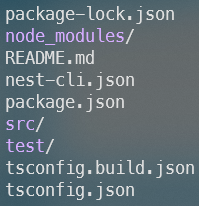
nest new <app-name> bootstraps the project and asks which package manager you want. You
get the standard Nest layout:
Write the Dockerfile
Two files at the project root:
touch Dockerfile .dockerignoreBase the image on the official Node LTS image, install dependencies first, then copy the source:
FROM node:lts
WORKDIR /app
COPY package*.json ./
RUN npm install
COPY . .
CMD ["npm", "run", "start"]
Copying package*.json and running npm install before COPY . . is deliberate. Docker
caches each layer, so as long as your dependencies don’t change, editing source code
skips the reinstall entirely. Installing inside the image rather than copying
node_modules from the host also means native modules compile against the image’s Linux
toolchain instead of your laptop’s.
The .dockerignore keeps host artifacts out of the build context:
dist
node_modules
*.log
node_modules stays out so the host copy never shadows the one built in the image; dist
stays out so a stale local build can’t leak in; logs are noise.
Build and run
docker build -t my-app:1.0.0 .
docker run my-app:1.0.0
build bakes the image; run starts a container from it and pipes its output to your
terminal. Ctrl+C stops the container. Run it detached with -d to keep it alive, then
docker exec into it or docker stop <container> when you’re done.
Move to Compose
Running one container by hand is fine. Running several (a backend, a database, a queue) by hand is not. Compose describes the whole set in one file and brings it up with one command:
services:
  backend:
    build:
      context: .
    image: my-app:1.0.0
    environment:
      NODE_ENV: development
      PORT: 3000
    ports:
      - 3000:3000
      - 9229:9229 # node debug port
    volumes:
      - /app/node_modules # keep the image's node_modules
      - ./:/app # live-mount source for hot reload and sourcemaps
The two volumes only work as a pair. ./:/app mounts your source into the container so
saves hot-reload, and the bare /app/node_modules anonymous volume shields the image’s
dependencies from being clobbered by that mount. Port 9229 is Node’s debug port, and
exposing it is what makes the next step possible.
Bring it up:
docker compose up -dWithout Compose, the equivalent docker run is a wall of -p, -e, and -v flags, and
that’s for one service. Multiply by eight and the file has already paid for itself.
Attach the VS Code debugger
Start Nest in debug mode, bound to 0.0.0.0 so the debugger is reachable from outside the
container:
// package.json
"start:debug": "nest start --debug 0.0.0.0:9229 --watch",
Override the container’s command to use it:
command: npm run start:debugIn VS Code, open the Run panel and create a launch.json:
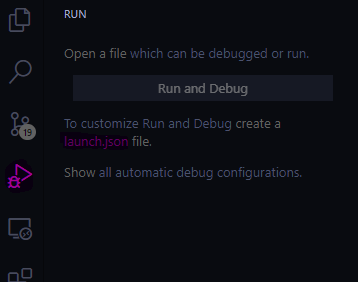
Configure an attach:
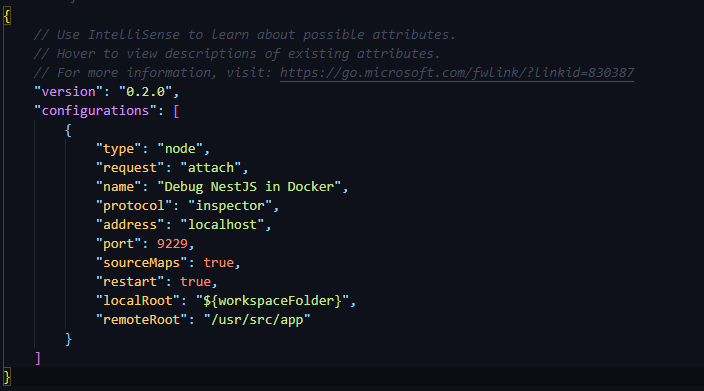
The fields that carry weight:
request: "attach": connect to the debugger already running inside the container instead of launching a new processport: 9229: Node’s default debug port, the one you exposed in Composeaddress: "127.0.0.1": reachable because Compose maps that port onto your hostlocalRoot/remoteRoot: map your project path on the host to/appin the container, so breakpoints line up with the code running insidesourceMaps: true: Nest ships TypeScript sourcemaps by default, so a breakpoint in a.tsfile resolves to the compiled.jsat runtimerestart: true: reattach after hot reload drops the connection, which it does every time you save
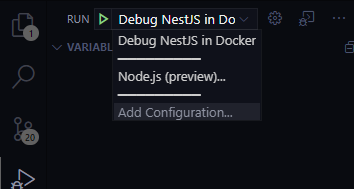
Set a breakpoint, save, and it hits inside the container:
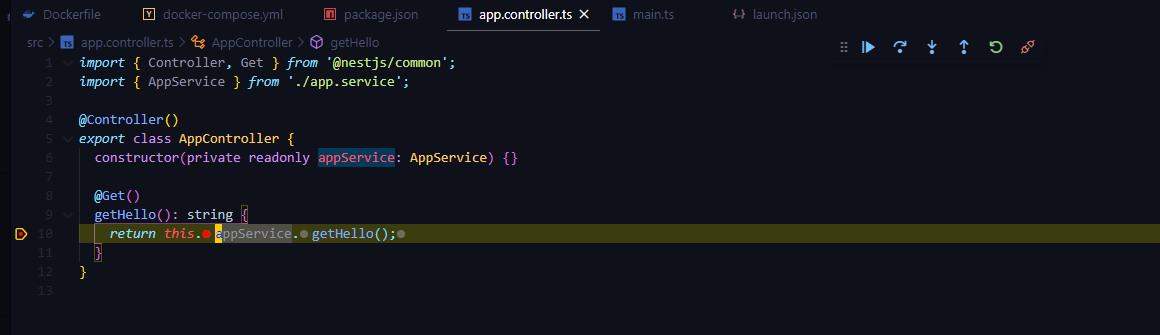
If you rolled your own project instead of using the Nest CLI, turn on sourceMap in
tsconfig.json first. Without it, breakpoints have nothing to map to.